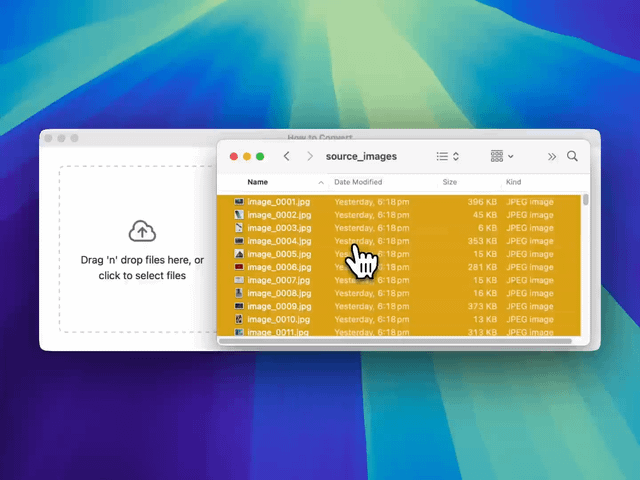
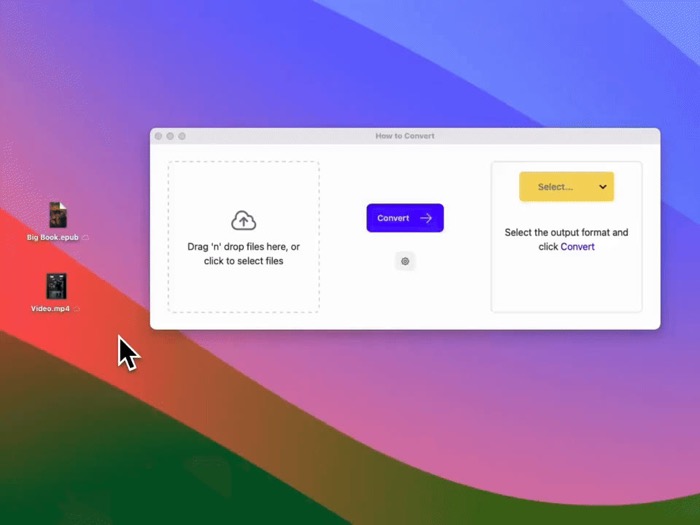
I made How to Convert, an app to convert almost any file locally. It now supports over 5k possible file conversions
Jake Manger·3 min read
Hey everyone,
I'm the solo developer of How to Convert. It's a local file converter app that converts documents, videos, images, audio, email and now even comic books.
I've been adding support for formats as users request them (mostly from my original launch posts on this subreddit).
I originally launched it here on macapps just over a year ago. It went way beyond my initial expectations (reached top 10 posts of all time - now 26th).
Back then, it only supported just over 2,000 conversions.
Now, it supports 5,384! It also supports batch conversions, compression, cropping, trimming and adjusting lots of other settings.
This was something I built originally for myself because I was sick of looking up how to use command-line tools every time I needed to use them. But, the response I received from this community pushed me to keep updating it and make it what it is today.
Problem:
There are plenty of file conversion sites, but when you use them, you’re sending your files and data to their servers.
I didn’t like that. I wanted to support almost any conversion with drag and drop like they do but from an app. One that runs completely locally.
Comparison:
There are a bunch of file converter tools but they all are focused on converting a specific group of files. This app is universal: it strives to convert anything.
Permute is probably the most commonly used mac file converter app, but it is limited to multi-media. Then there are a bunch of command-line tools like ffmpeg, imagemagick and pandoc. They are amazing, but are generally restricted to use by developers. Most people don't know how to use the command-line or just flat out don't want to. This app is for them.
There’s also the right click menu built into macOS powered by sips and afconvert (cli tools built into macOS). This is great for simple conversions, but has a very limited set of formats (e.g. only PNG, JPEG and HEIF for images). How to Convert is one simple interface that can control many of these above tools for you.
Pricing:
$14.50 one time purchase for lifetime updates (cheaper in other countries depending on purchasing power parity). Currently 50% off from the original $29 for those coming from macapps (until 27th of April).
Also most multi-media conversions are free on the site demo. It also runs completely locally in your web browser.
Transparency:
I'm Jake Manger, the solo dev behind How to Convert.
Hey everyone,
I'm the solo developer of How to Convert. It's a local file converter app that converts documents, videos, images, audio, email and now even comic books.
I've been adding support for formats as users request them (mostly from my original launch posts on this subreddit).
I originally launched it here on macapps just over a year ago. It went way beyond my initial expectations (reached top 10 posts of all time - now 26th).
Back then, it only supported just over 2,000 conversions.
Now, it supports 5,384! It also supports batch conversions, compression, cropping, trimming and adjusting lots of other settings.
This was something I built originally for myself because I was sick of looking up how to use command-line tools every time I needed to use them. But, the response I received from this community pushed me to keep updating it and make it what it is today.
Problem:
There are plenty of file conversion sites, but when you use them, you’re sending your files and data to their servers.
I didn’t like that. I wanted to support almost any conversion with drag and drop like they do but from an app. One that runs completely locally.
Comparison:
There are a bunch of file converter tools but they all are focused on converting a specific group of files. This app is universal: it strives to convert anything.
Permute is probably the most commonly used mac file converter app, but it is limited to multi-media. Then there are a bunch of command-line tools like ffmpeg, imagemagick and pandoc. They are amazing, but are generally restricted to use by developers. Most people don't know how to use the command-line or just flat out don't want to. This app is for them.
There’s also the right click menu built into macOS powered by sips and afconvert (cli tools built into macOS). This is great for simple conversions, but has a very limited set of formats (e.g. only PNG, JPEG and HEIF for images). How to Convert is one simple interface that can control many of these above tools for you.
Pricing:
$14.50 one time purchase for lifetime updates (cheaper in other countries depending on purchasing power parity). Currently 50% off from the original $29 for those coming from macapps (until 27th of April).
Also most multi-media conversions are free on the site demo. It also runs completely locally in your web browser.
Transparency:
I'm Jake Manger, the solo dev behind How to Convert.
My threads: https://www.threads.com/@jakemangerdev
My X (twitter): https://x.com/JakeManger
My Github: https://github.com/jakemanger/
Contact: [jake@howtoconvert.co](mailto:jake@howtoconvert.co)
My app: howtoconvert.co
Signed and notarised as a Mac app (also runs on Windows and Linux)